

Welcome to the Sheepie AIO Script installation guide! Follow these steps to get your script up and running.
You should already have TamperMonkey Installed
Step 1: Download the Script
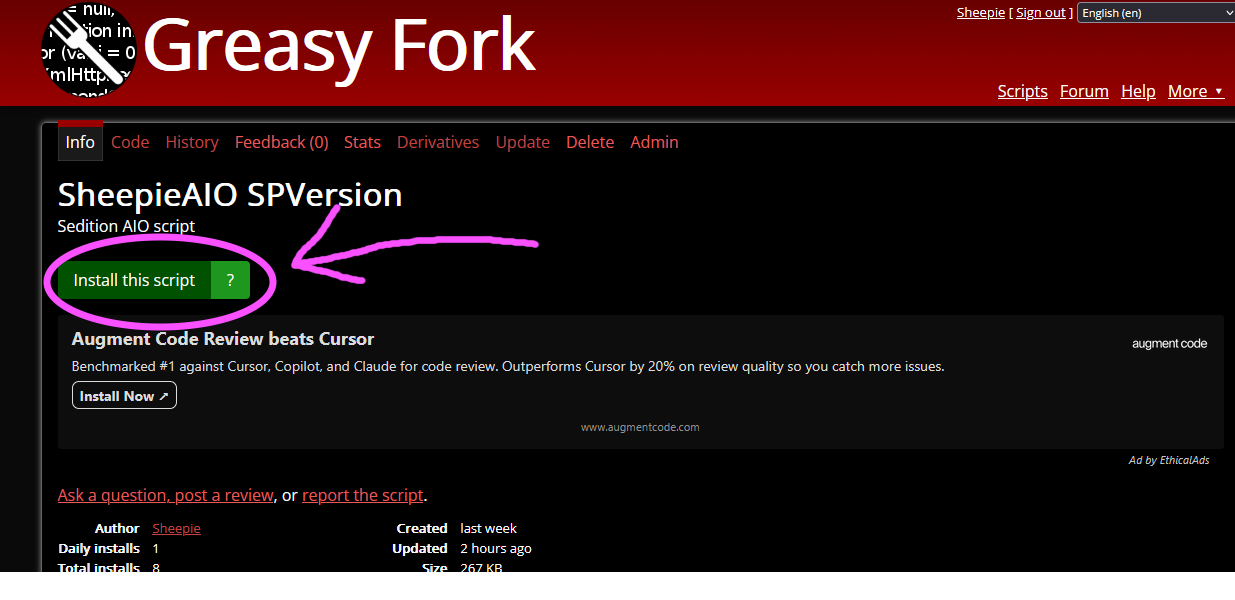
Click the download link for the latest AIO script version.
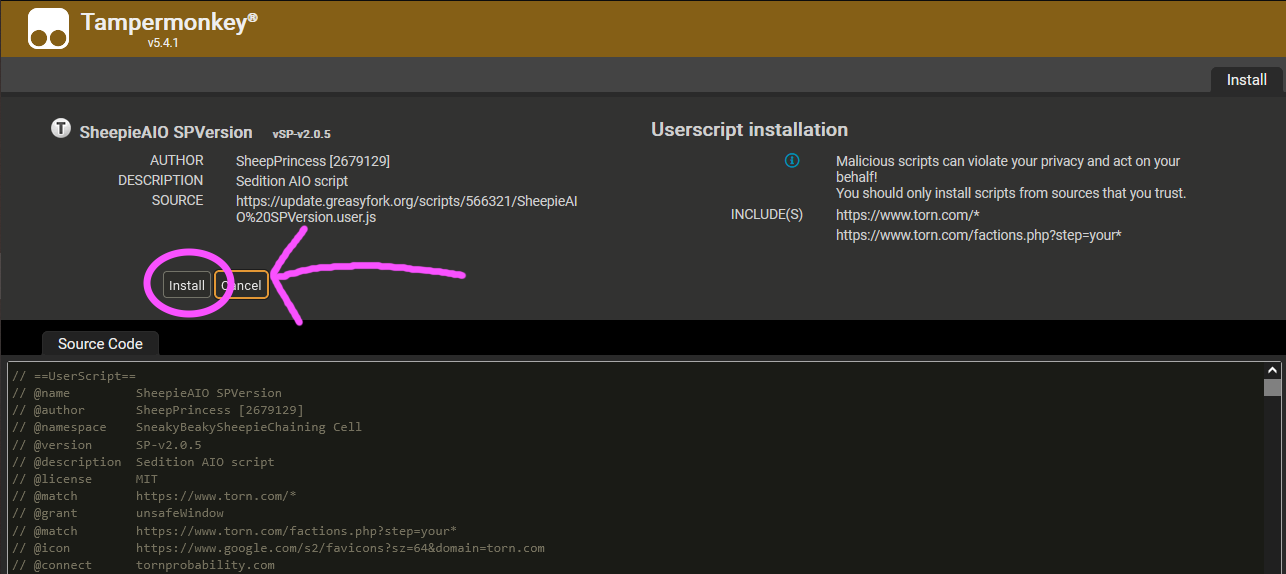
Your Browser should automatically open tampermonkeys install page
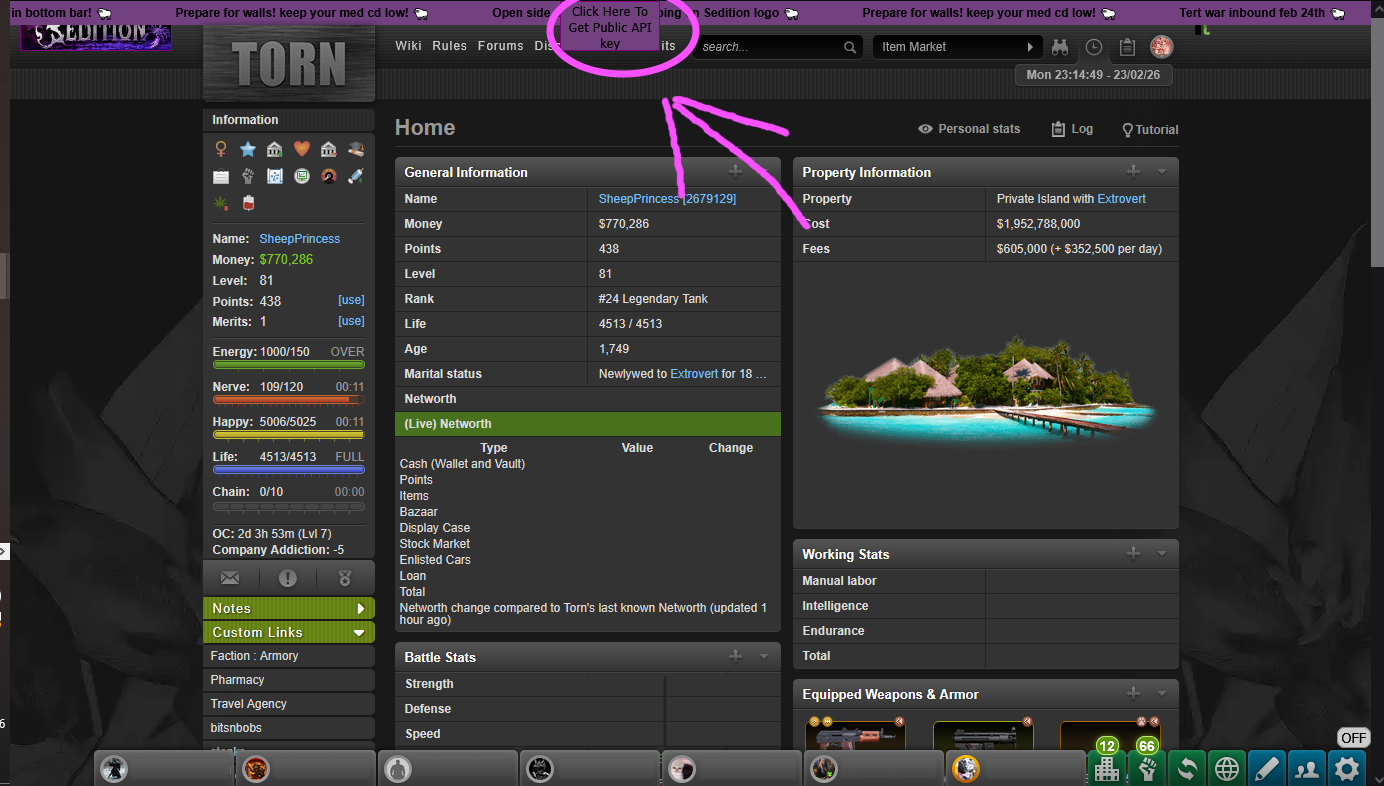
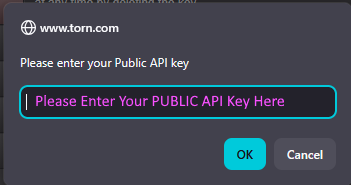
Step 2: click the get api key
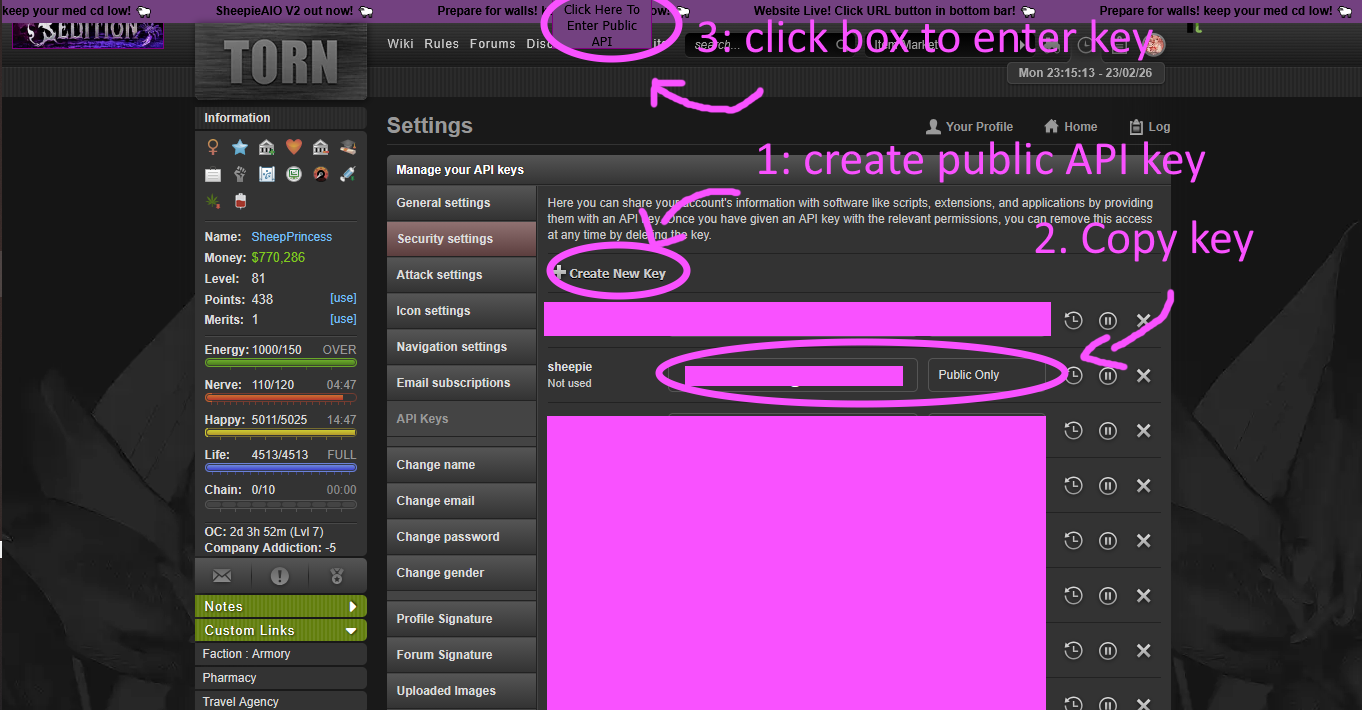
Your browser should automatically open your api page, create a public key, copy it and click the enter public key box at the top, a dialogue box will open, enter your key there
Step 3: Open the Sheep UI and select a timer size
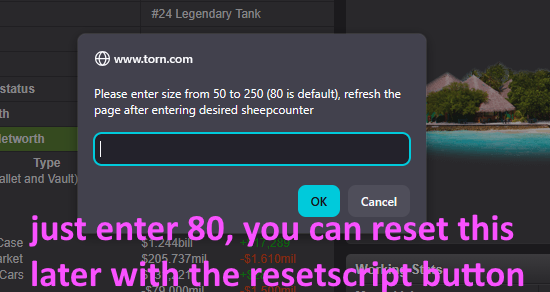
Click on the little off button in the bottom right to open the overlay. You will be prompted to enter a size for your chainwatch timer, please default to 80
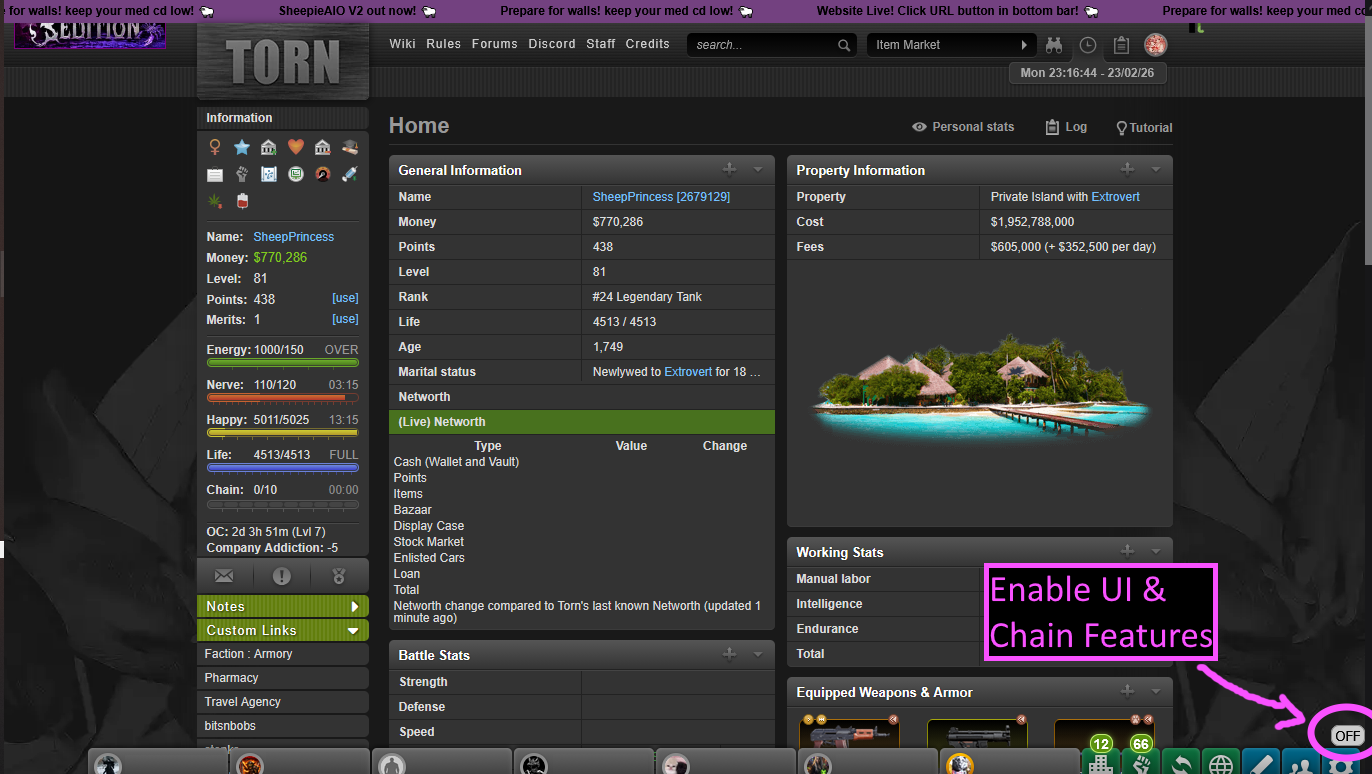
Step 4: The UI
With everything from fast attacks, to a ghetto youtube player, it can be a little over whelming, take a moment to observe these images
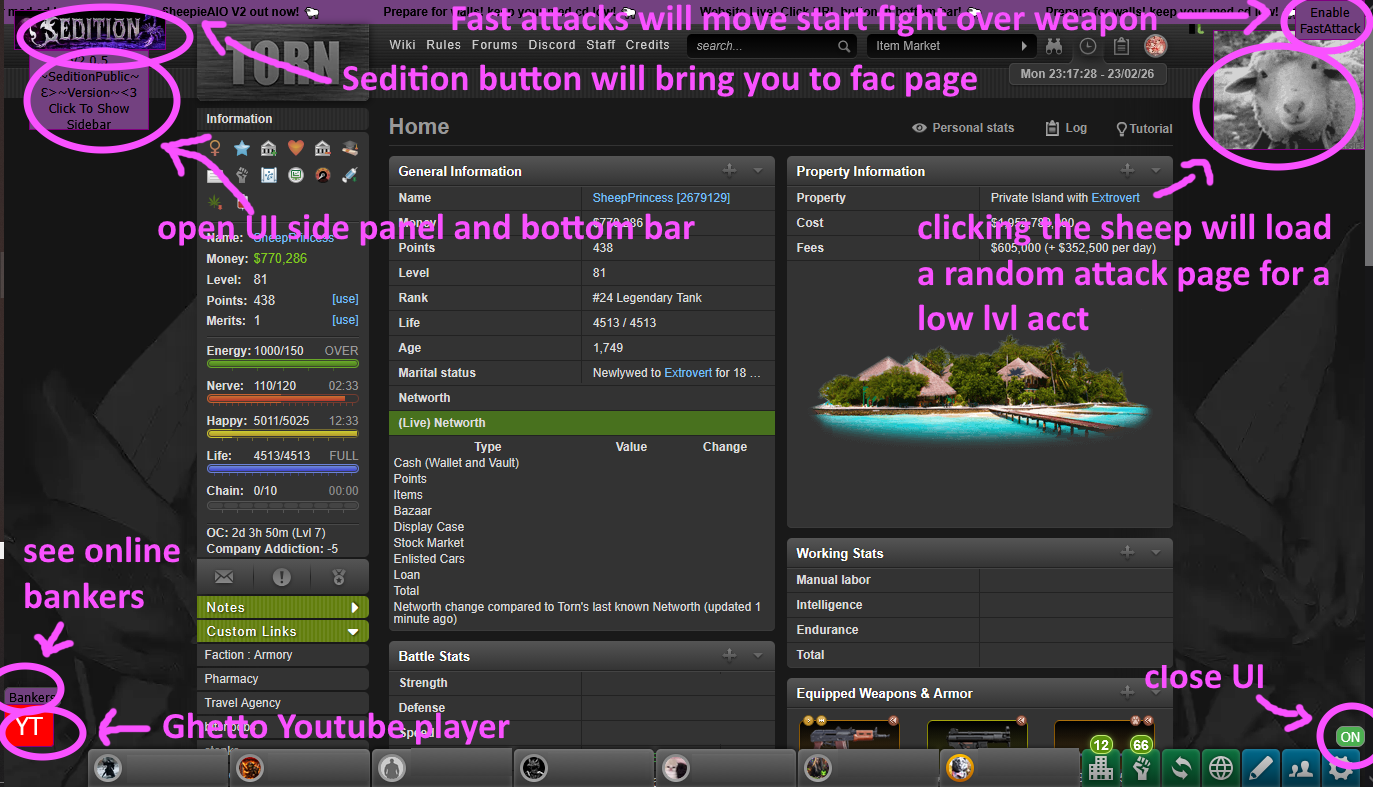
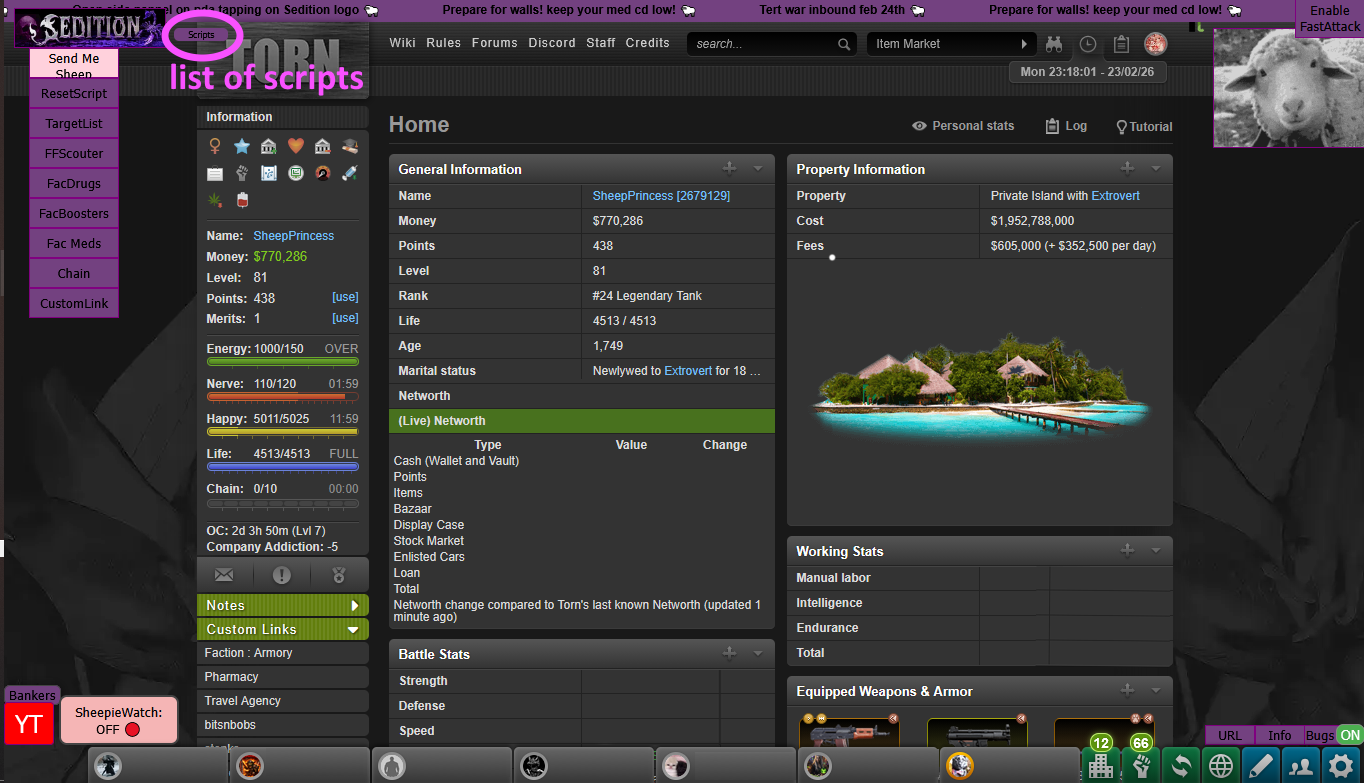
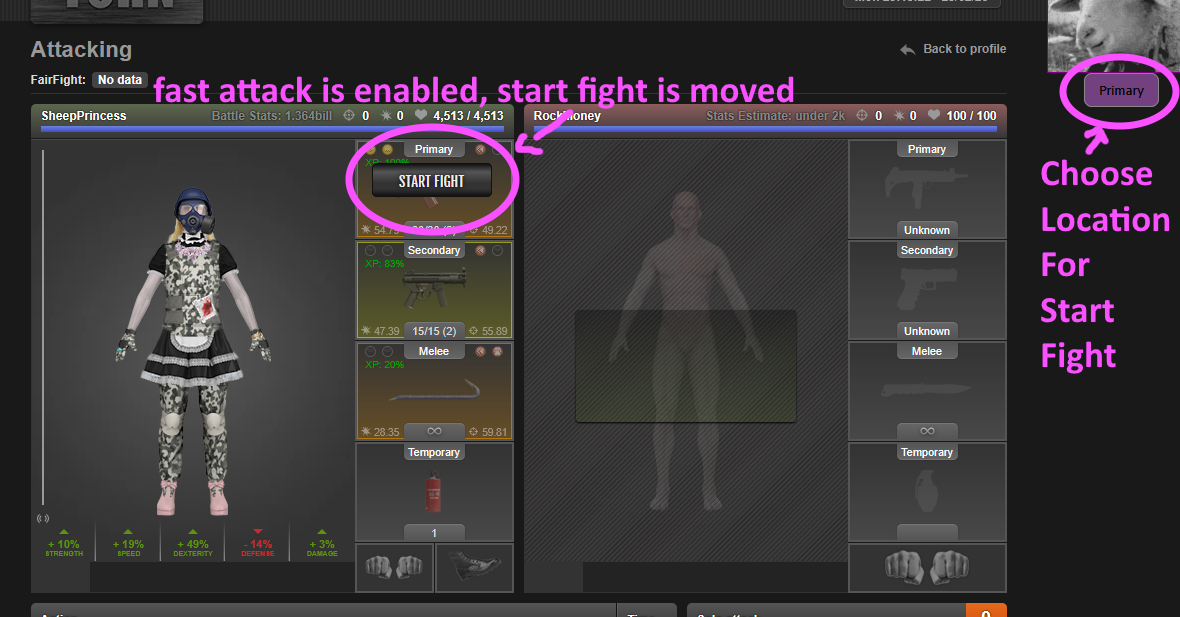
Most important of all
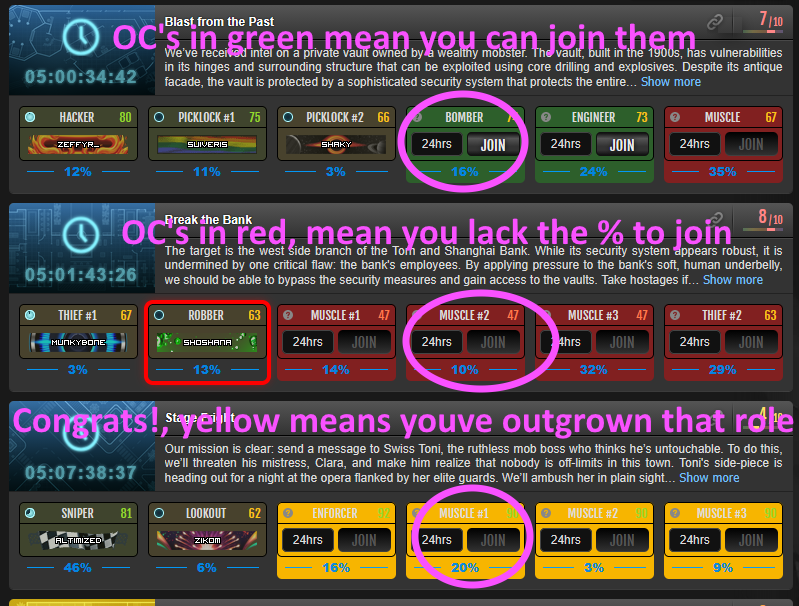
Our OC script, fine tuned to help you maximize your OC profits
Welcome to the Sheepie AIO PDA Script guide! Follow these steps to install the PDA version.
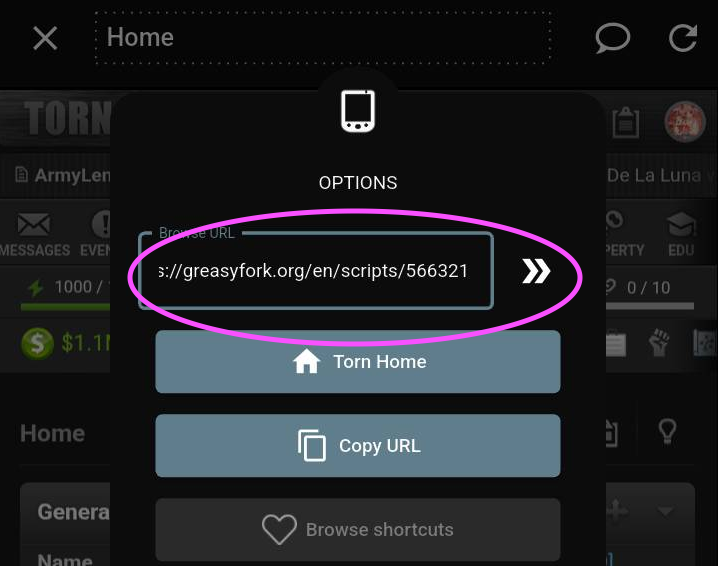
Step 1: Copy and paste the url into PDA to download the Script
https://greasyfork.org/en/scripts/570684
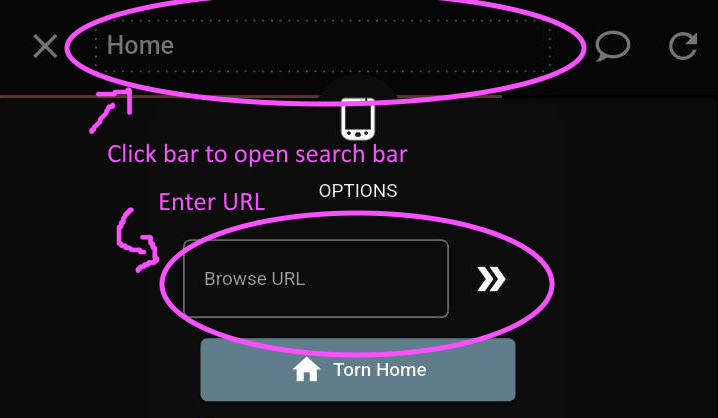
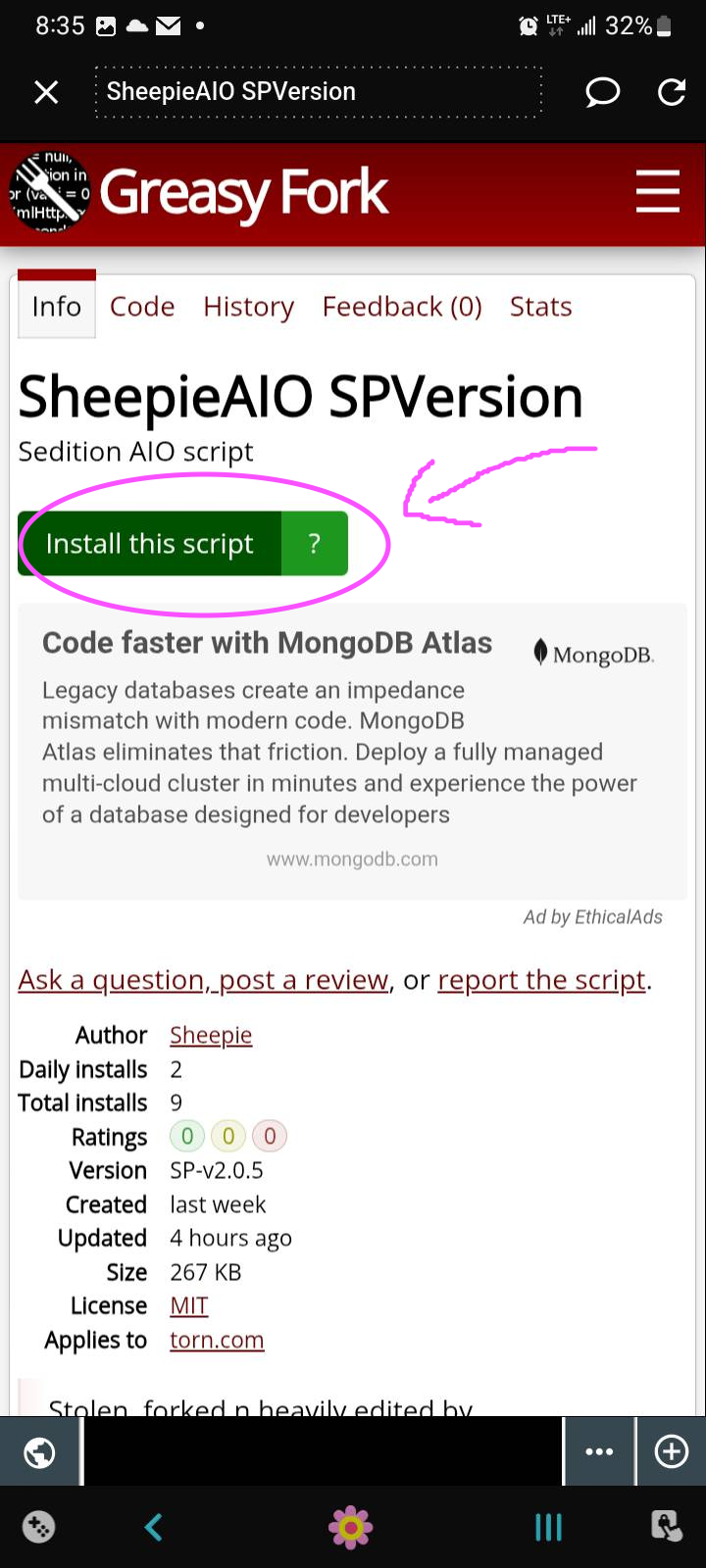
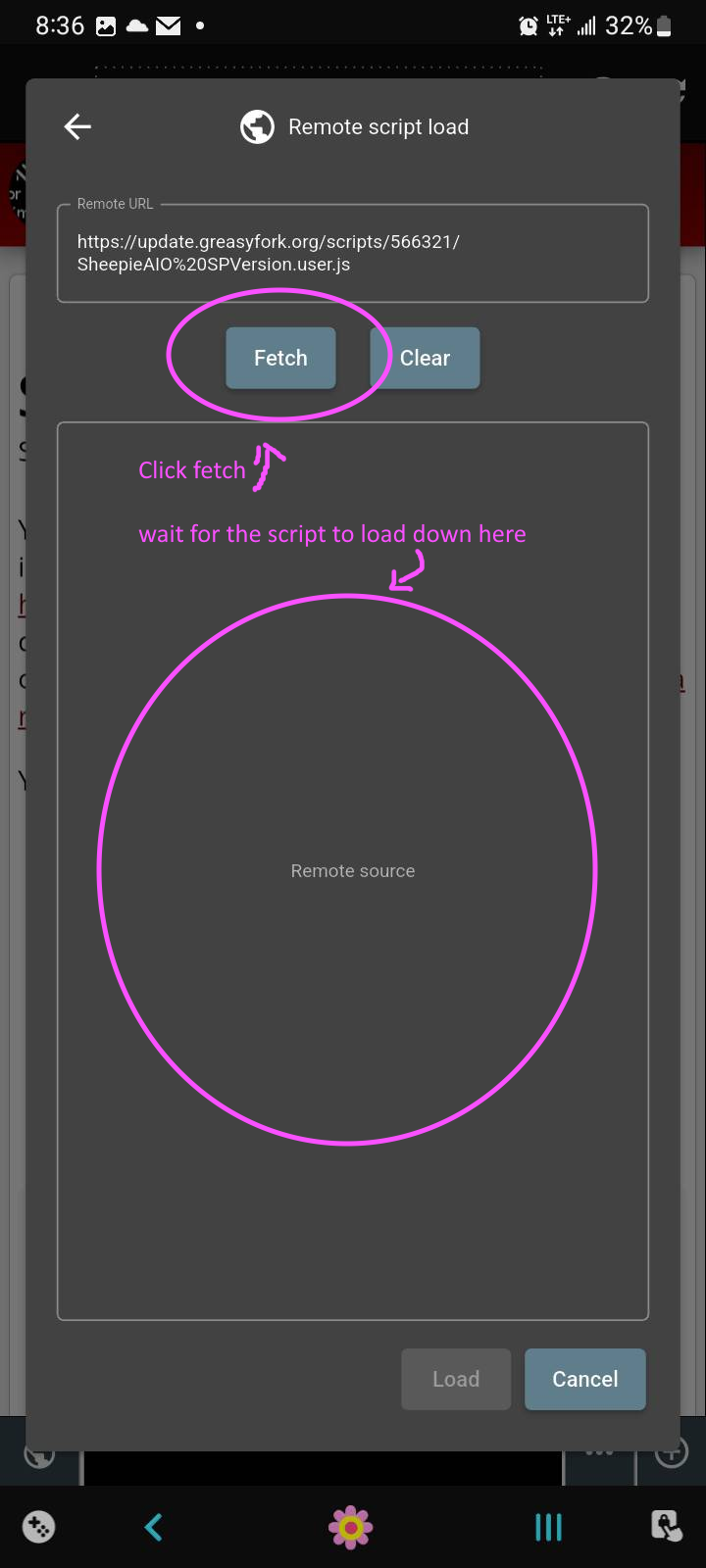
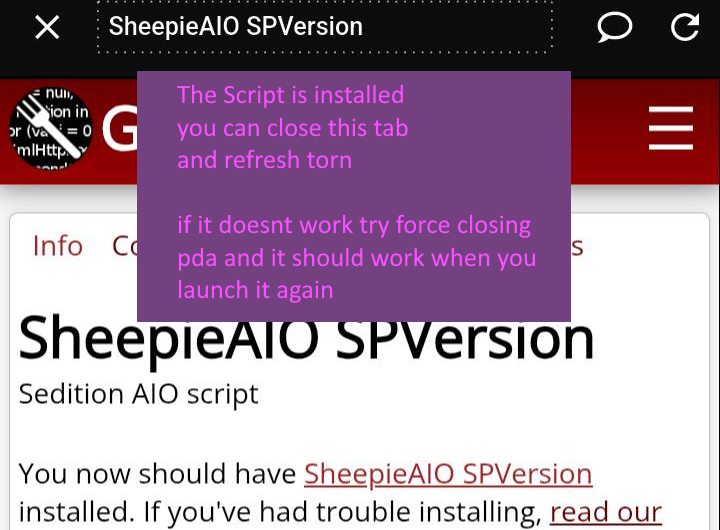
Step 2: PDA will detect the script
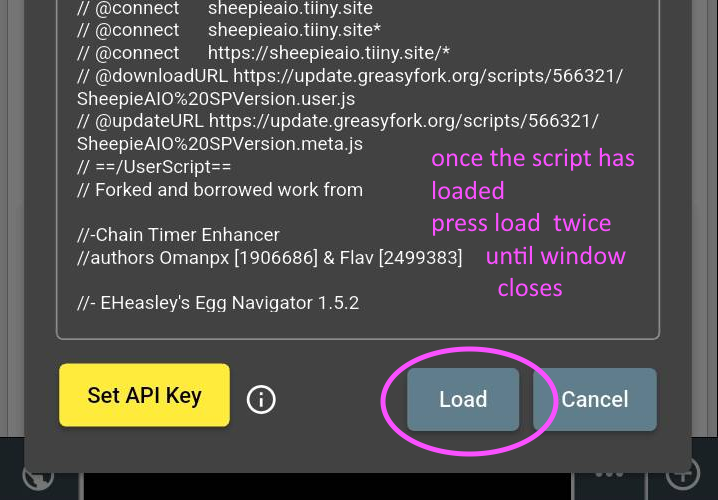
Click fetch, and press Load twice once the script loads
You can close the tab when it returns to greasyfork
Step 3: Open the Sheep UI
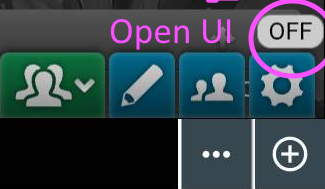
Press the little off button in the bottom right.
Step 4: The UI
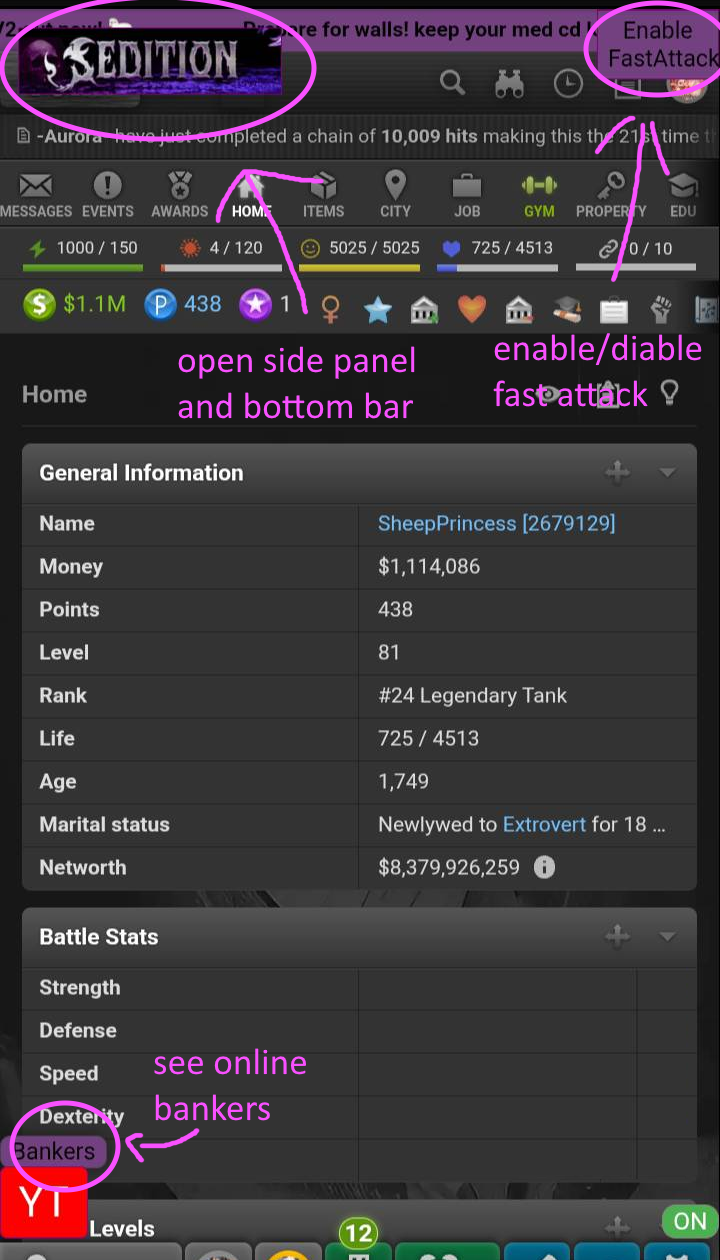
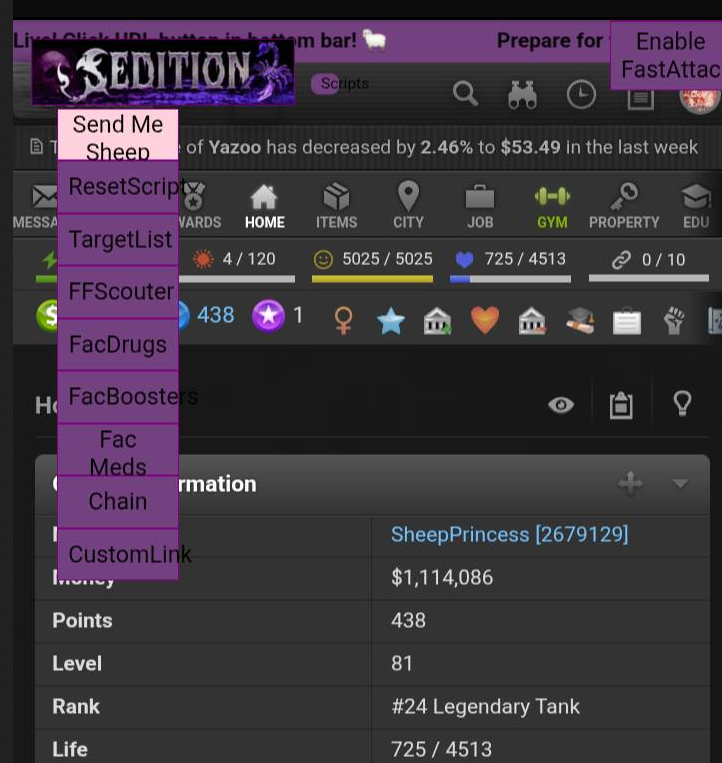
With everything from fast attacks, to a ghetto youtube player(currently half functional in PDA), it can be a little over whelming, take a moment to observe these images
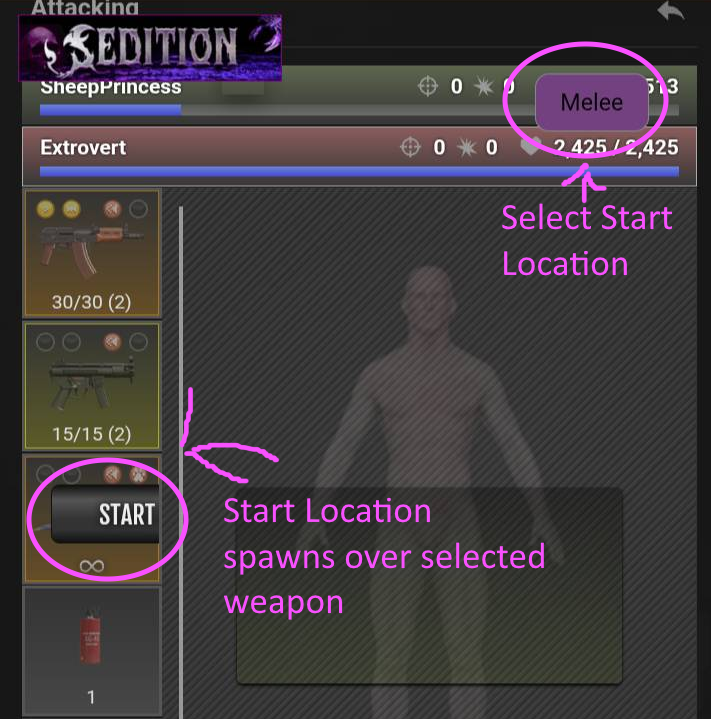
Most important of all
Our OC script, fine tuned to help you maximize your OC profits